

Issues provide a structured way to report and manage concerns related to risks, controls, tasks, or assessment responses. They can be tracked, assigned to responsible owners for resolution, and addressed through actions such as treatment plans or exception requests.
Scenarios for raising an issue:
-
Artifacts are not shared for a long time
(e.g., many months pass without getting proof or evidence for controls) -
Controls are failing
(e.g., teams are not doing required activities like reviews, monitoring, patching, etc.) -
Repeated delays or missed actions
(e.g., not following timelines, skipping reviews)
Pre-requisite
Create the issue framework under settings.
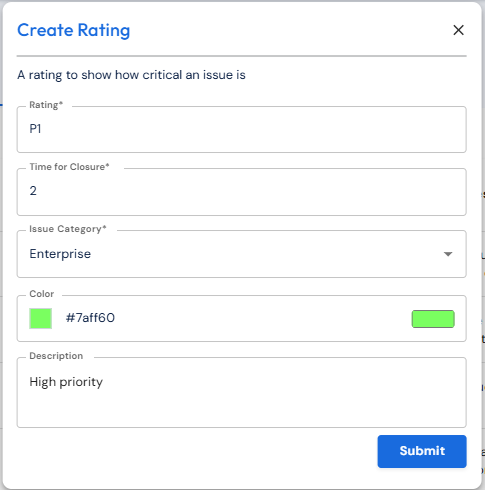
It is important to create a rating for issues raised to help team members decide the criticality of the issue.
-
Under Settings>Issues>Issue rating (default) tab>click Create.
-
Select/enter details and Submit.
Issue type describes how issues are categorized, and issue tag helps group or identify issues. For both click Create and fill in details.
Steps to create from Issues Menu
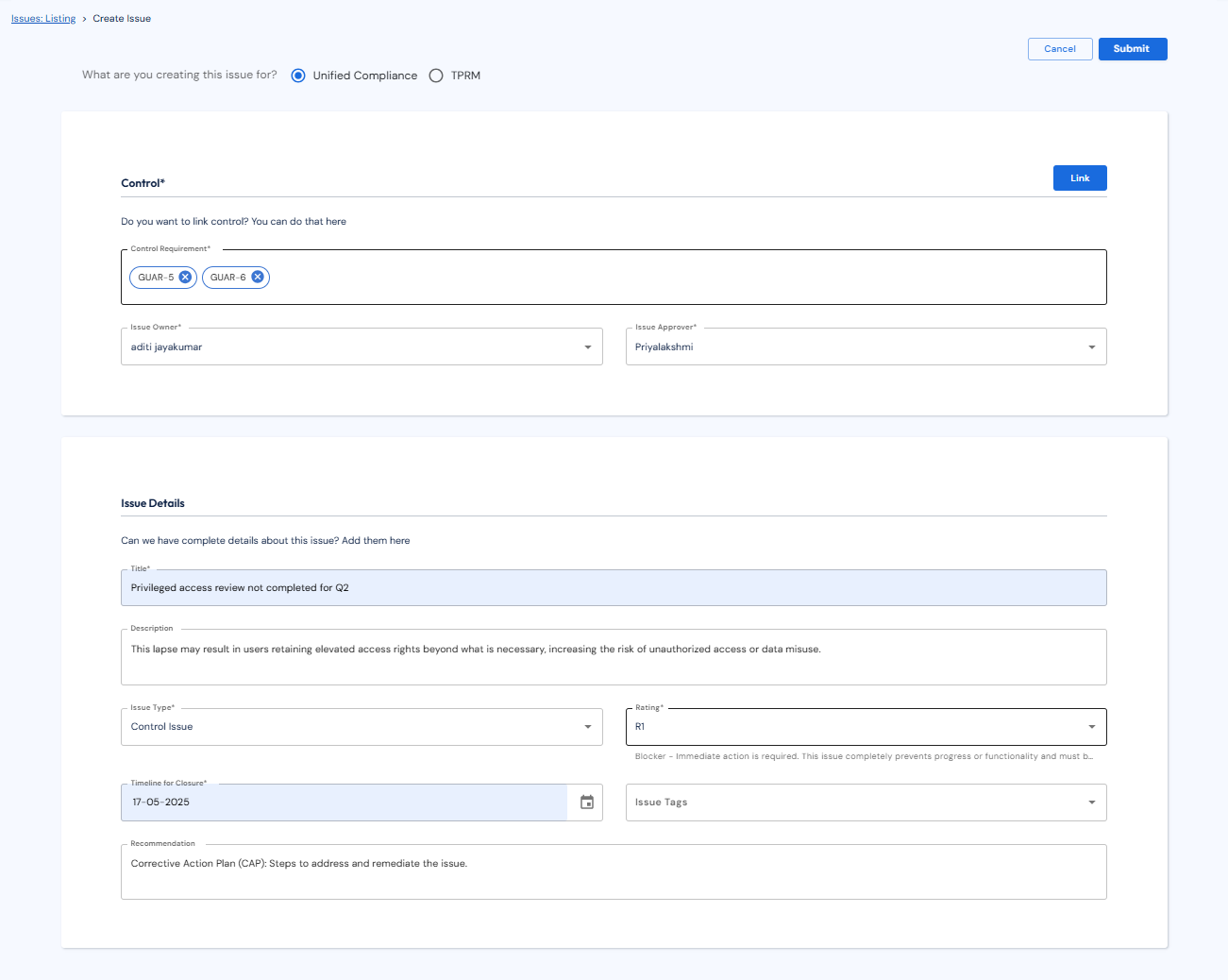
Through the side bar, go to Issues > Listing tab (top) and click Create.
-
Choose from the top radio buttons whether you are creating this issue for Unified Compliance or TPRM.
-
Click Link and choose the controls to link to the issue. The linked controls get populated under “Control Requirement” field.
-
Choose the issue owner and approver (cannot be the same).
-
Enter title, description, issue type, rating (based on the issues framework), tags, timeline and recommendations. Click Submit.