

Once the platform (COMPASS) instance is provisioned, you can push the chosen standards and associated controls. Make sure you have chosen the correct standards during client creation.
-
Click Access Controls and Tasks.
-
Based on the standard(s) chosen during client creation, under Compliance Requirements, related controls will be populated here.
-
Since the default control status is Applicable, select the controls that are Not Applicable (scroll down to see buttons if you are doing bulk selection). The selected controls will visually reflect the not-applicable status in the drop-down box.
-
Click Save Progress at any point to save changes you have made but need to confirm.
-
Click Confirm & Push to Client once you are confident to push (applicable and not-applicable) controls to the client instance.
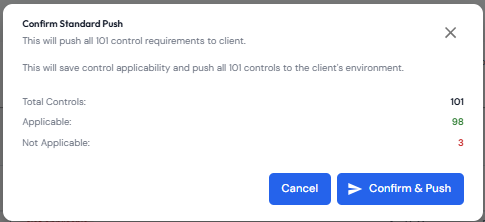
NOTE: By default, all controls (applicable and non-applicable) will be pushed to the client instance. This is to give you the flexibility to add more controls that at present are not applicable but may become applicable at a future time.