

Who can do this?
The Task Owner (Client) has to upload evidence/documents. They need to be reviewed by the Compliance Manager (service provider).
Why is this important?
Uploading evidence (documents) is the client’s only action. The compliance percentage is calculated on the availability, validity and relevance of these.
After setting the control status and frequency, the Compliance manager (service provider) needs to communicate to the client to upload documents for relevant tasks.
Steps (for task owner) to upload documents on COMPASS after logging in:
-
In the left navigation panel, navigate to Continuous Compliance>Tasks.
-
Relevant and approved tasks pushed by the Compliance manager will be listed here.
-
Under Continuous Compliance >Tasks, all tasks will be displayed. Columns include other task details like Control testing procedure (CTP) against which mapping will be done, required documents, status, frequency, review due date, etc.
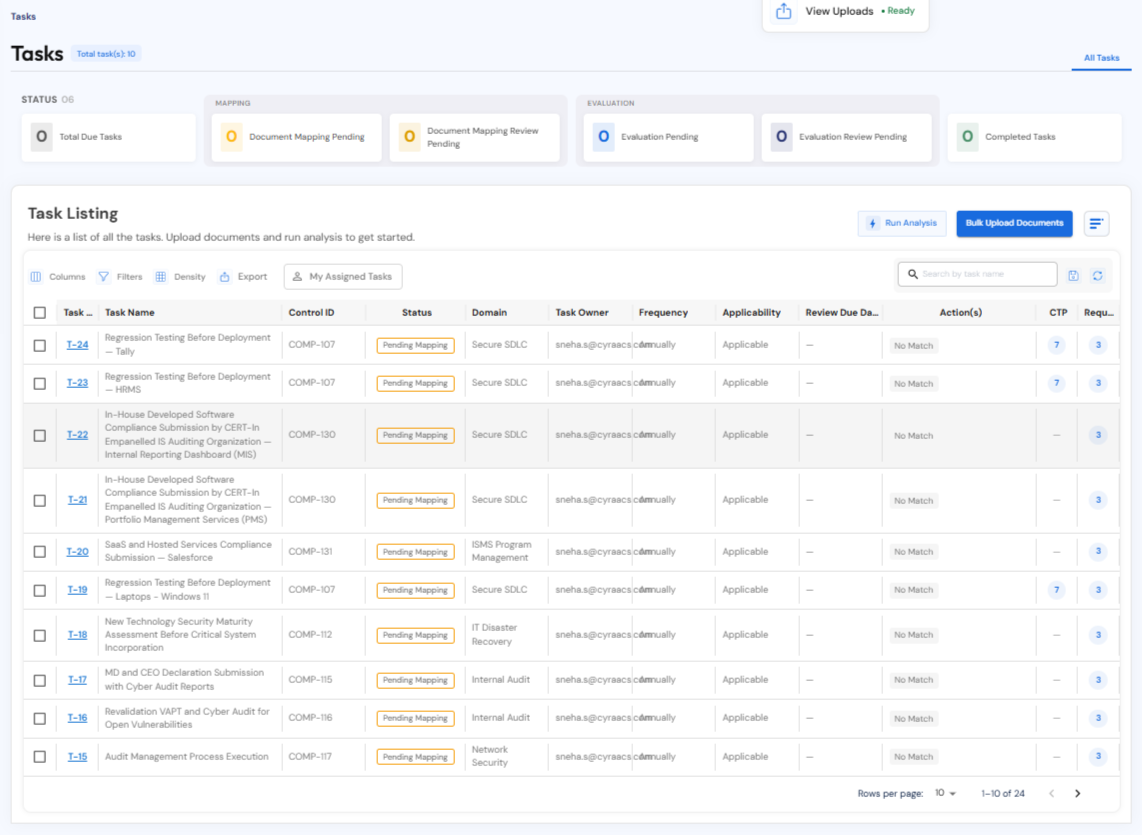
NOTE: You need to first upload documents before running analysis.
-
Click Bulk Upload Documents to upload all documents (see video below). Once the documents are uploaded, the compliance manager will check and proceed with mapping the documents.