

Before working with tasks, the service provider needs to do a sanity check of the client instance on COMPASS that includes:
-
Setting applicable controls as “Implemented”
-
Configuring compliance tracking frequency of applicable controls
Why this is important?
Tasks pushed from the Environment Manager will be in “Not Set” status by default. Tasks linked to Controls whose status is “Not Set” remain locked. Controls must be set to "Implemented" to unlock related tasks. Without this, you cannot edit, upload artefacts, or perform any task activity, and it will negatively affect the compliance percentage.
List of things to take care of, after client instance creation:
-
Log into COMPASS client environment with credentials.
-
Check if the approved tasks have been pushed correctly.
-
Go to Continuous Compliance>Controls.
Changing the implementation status of one control
-
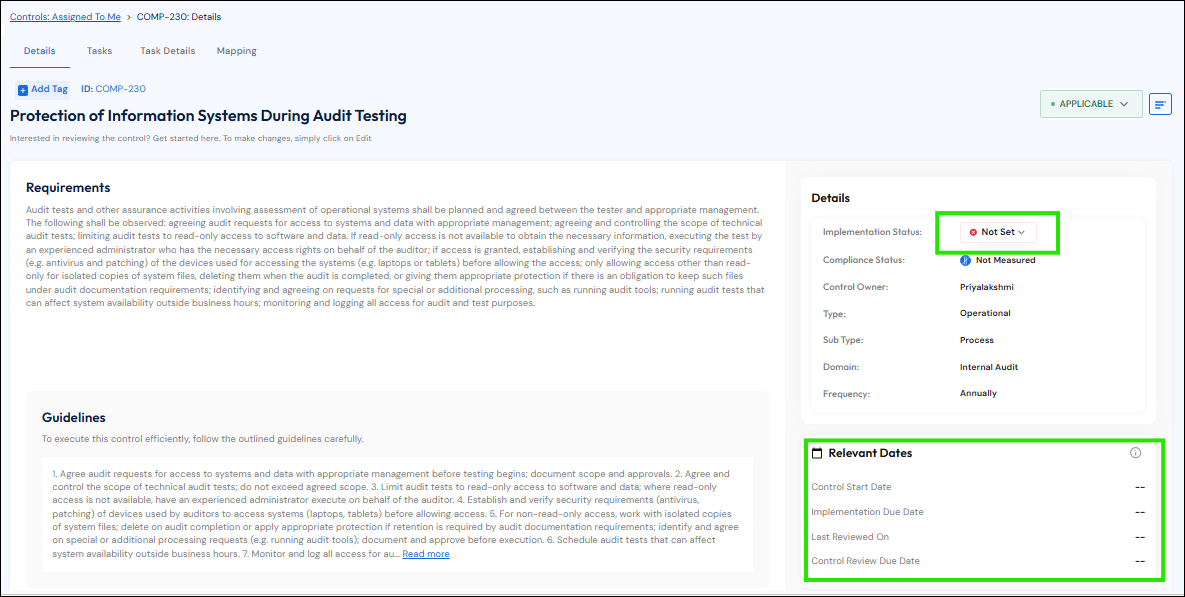
Click on the control ID. The default control implementation status will be ‘Not Set’. Change this to ‘Implemented’ before you start working with tasks.
-
Clicking on the ‘Not Set’ dropdown and choosing Implemented, brings up a change implementation status pop up. Enter Control start date and Save. The control start date populates the relevant dates space below.
-
To make more changes to the control like frequency, status etc, go to the top right collapsible menu icon and click the Edit icon, make the changes and Save.
Changing implementation status of controls in bulk
-
To change the implementation status in bulk, choose ‘Status Required’ from the top-level dropdown (next to the Upload/Create buttons).
-
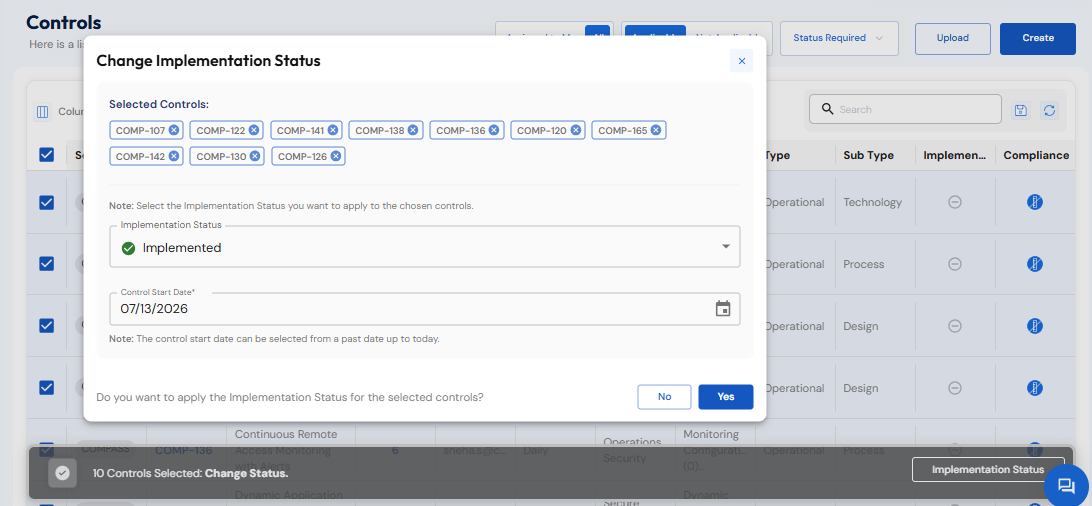
Select the checkbox at the top left of the table that selects all controls on the page. Click Implementation Status on pop up that comes up at the bottom of the page.
-
You can see the Selected controls here. Choose ‘Implemented’ and enter the Control Start date for all selected controls. Click Yes when done.
Watch this video to set frequency for multiple controls:
Mark controls “Not Implemented” or deferred where technology is not yet implemented.
Outcome
Only relevant controls are implemented. Compliance runs at the right cadence. There is no over-tracking of irrelevant controls and no under-tracking of critical ones.